Docs sections
Search⌘KTracks, audio, and subtitles
All tracks from the file (qualities, audio, and subtitles) are on one tab. Remove the ones you don't need from the stream.
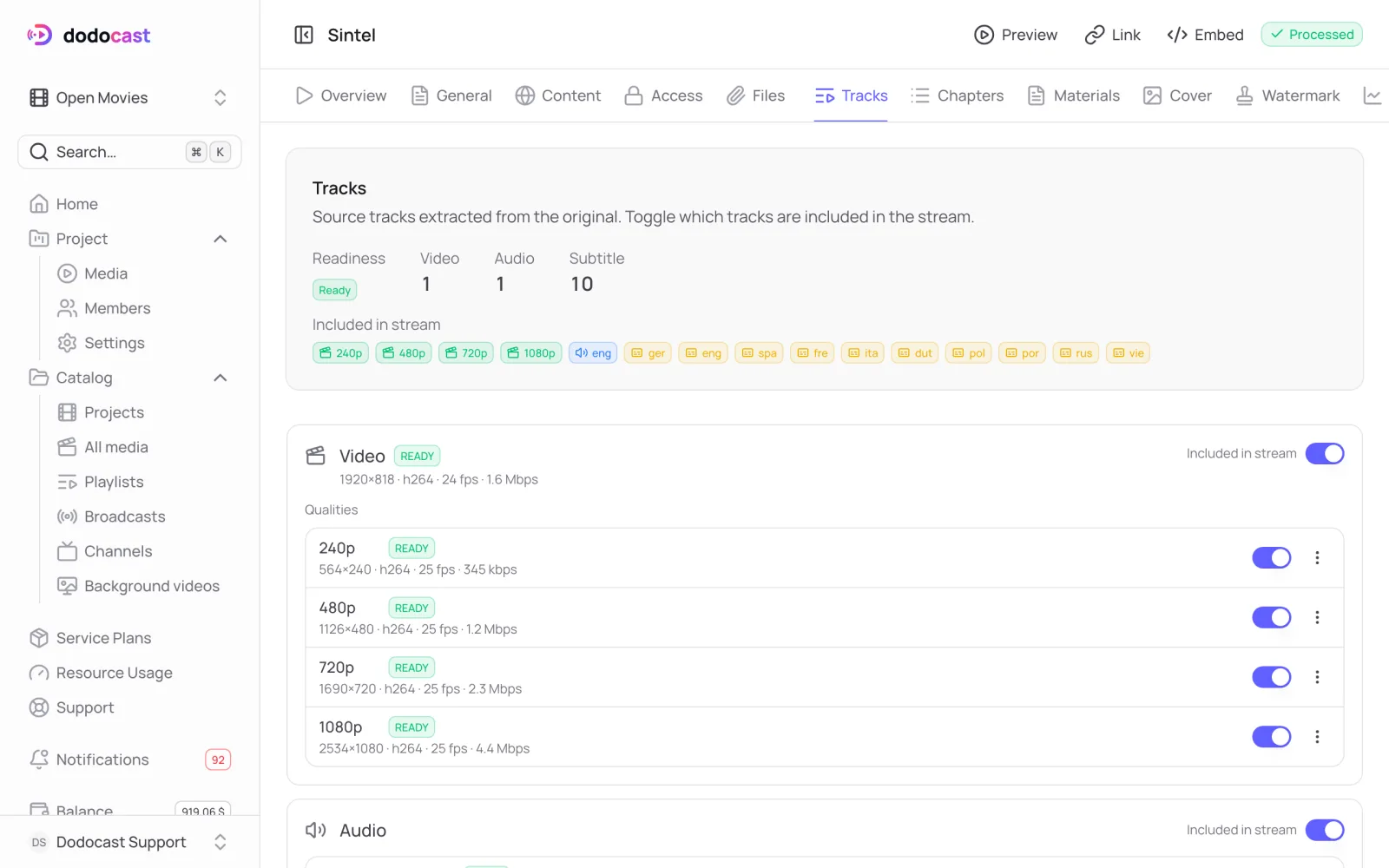
What's on the tab
At the top is a summary: Readiness, how many video, audio, and subtitle tracks there are, and what's currently Included in stream. Below is each track with its technical details: resolution, codec, frame rate, bitrate; language and channels for audio; language for subtitles.
Audio and subtitles are taken from the uploaded file along with their language tags. For example, an mkv with ten subtitle tracks gives you ten subtitle tracks, and viewers pick the language in the player.
Remove a track from the stream
The Included in stream toggle on a track or quality removes it from what viewers receive, without deleting it. Turn it back on and the track returns.
In a track's Actions menu:
- Re-transcode encodes this track again;
- Delete removes the track entirely.
Badges
| Badge | What it means |
|---|---|
| default | the track the player turns on first |
| not in plan | the quality is above your plan's ceiling and won't go into the stream |
| no track | the video doesn't have this quality |
| upscaled | the resolution is higher than the source: the picture won't get more detailed, but a channel in that format will accept the video |
Updated: