Docs sections
Search⌘KChannel format, audio and subtitles
The Delivery tab defines what the channel sends to viewers: qualities, frame, audio and subtitle languages.
On this page
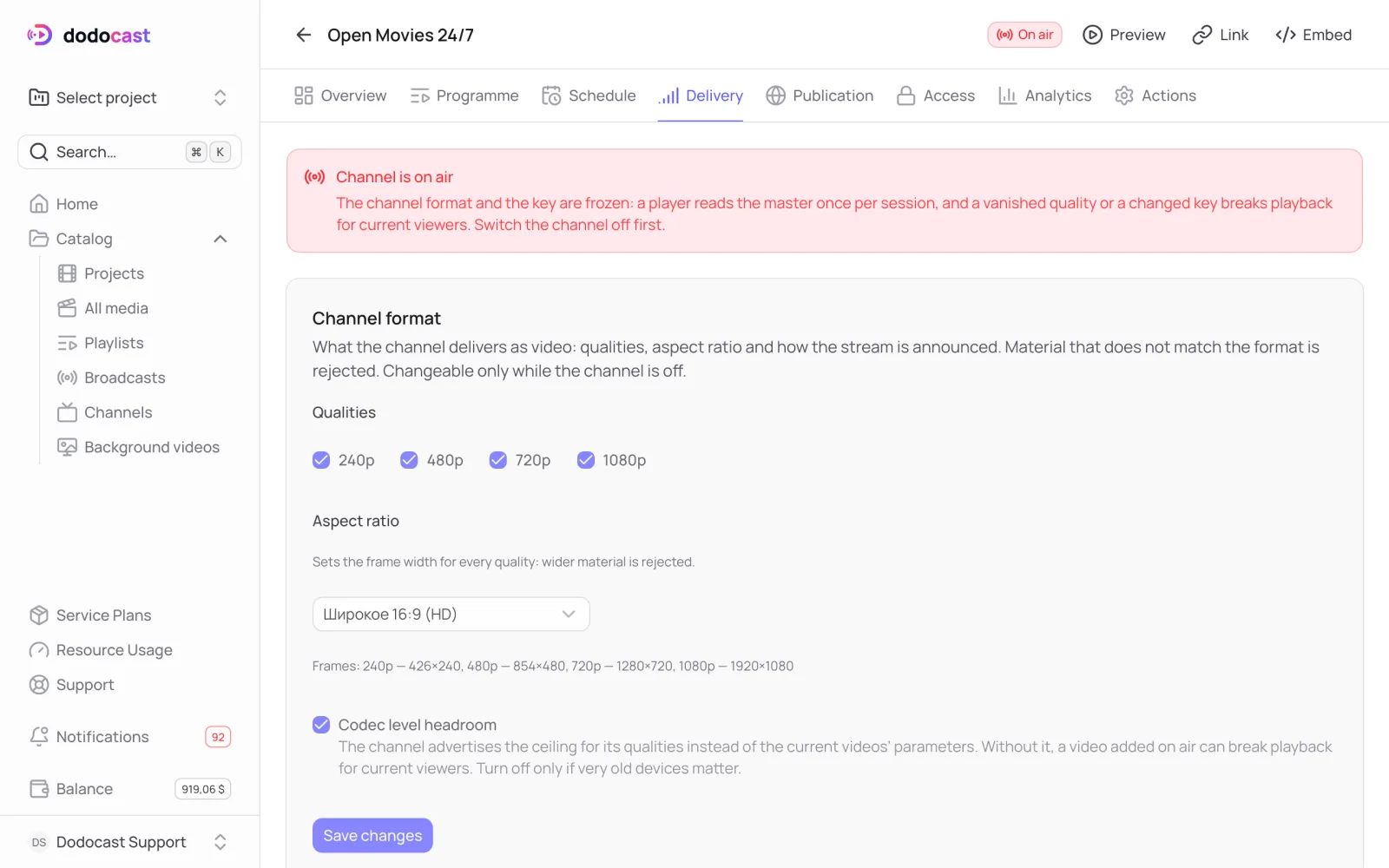
Only while the channel is off air
You can change the format, subtitles and encryption key only when the channel is switched off: the player reads the track list once per session, and changing it mid-stream would cut off everyone who is watching.
Channel format
- Qualities — what the channel broadcasts (240p, 480p, 720p, 1080p). Videos without these qualities can't be added to the program.
- Aspect ratio — the frame for every quality (16:9, 9:16, 4:3, 1:1, cinema 2.39:1 and others). The channel won't accept videos wider than its frame.
- Codec level headroom — the channel tells the player the quality ceiling rather than the parameters of the current videos, so a video added mid-stream doesn't break playback. Turn it off only if very old devices matter to you.
Audio
Channel audio lists the languages the channel promises viewers. If it's empty, no language is promised and each video plays its default track. With Substitute when the language is missing, a video without the required track plays its default track; without it, videos that lack the declared languages can't be added to the channel.
Subtitles
Channel subtitles lists the subtitle languages the channel promises. If it's empty, the player shows no subtitles, even if the videos have them.
Updated: