Docs sections
Search⌘KCourse, series, or collection
Show one playlist as a collection, a series with an episode strip, or a course with a table of contents and progress.
On this page
| Layout | What viewers see |
|---|---|
| Standard | the player, the current video's description, and a list on the right |
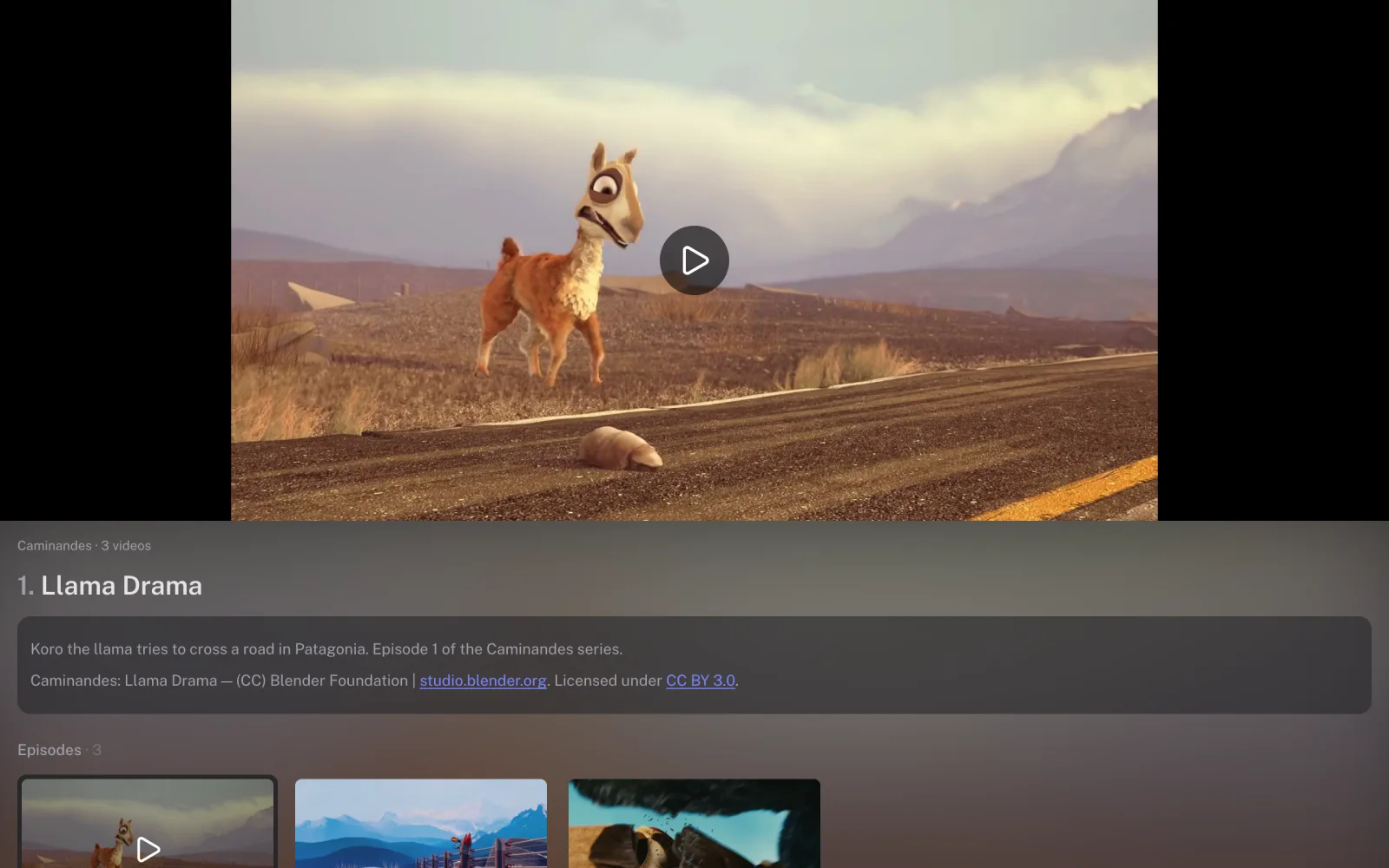
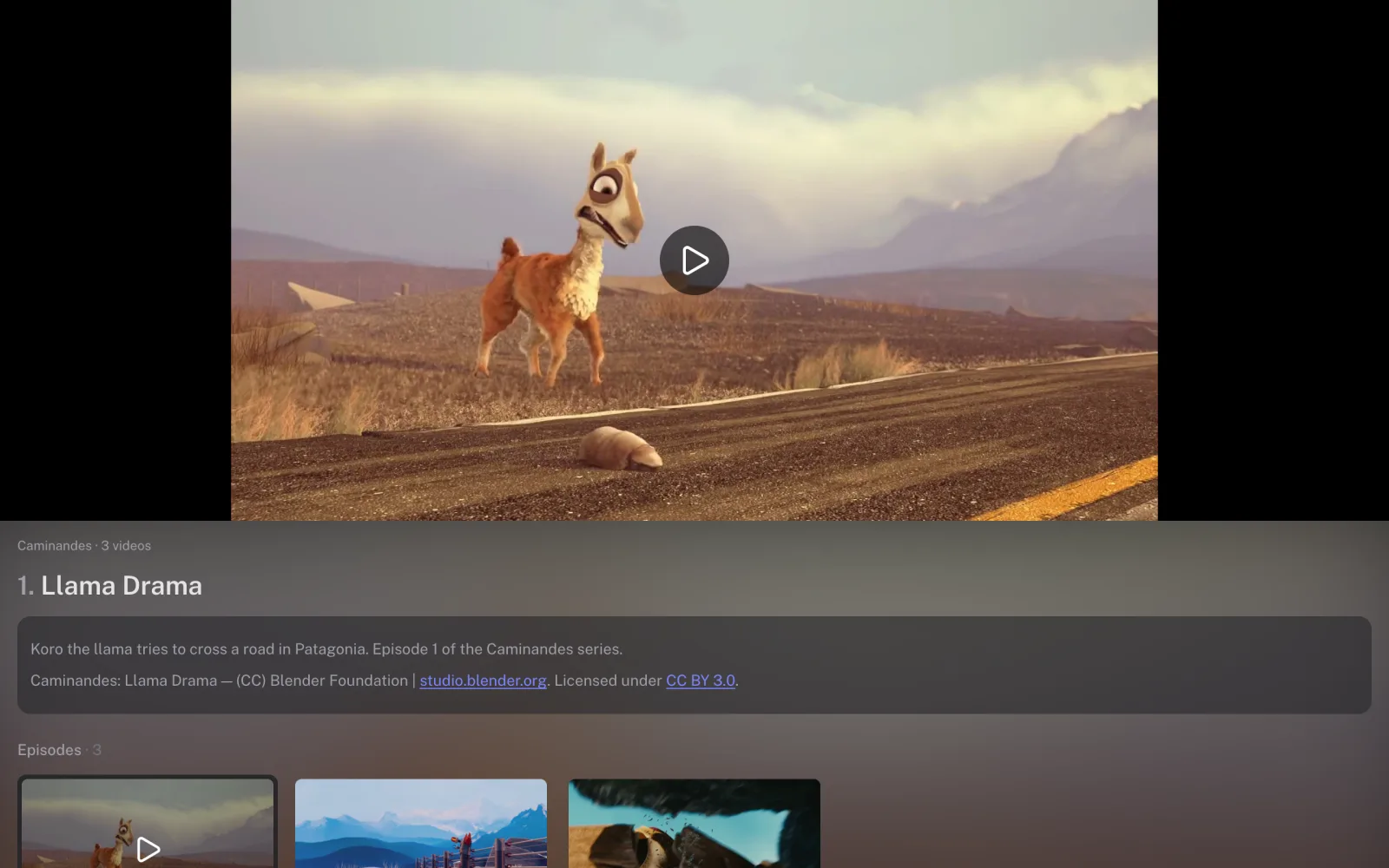
| Series | episodes in a strip below the player, the episode number in the heading; the page is always dark |
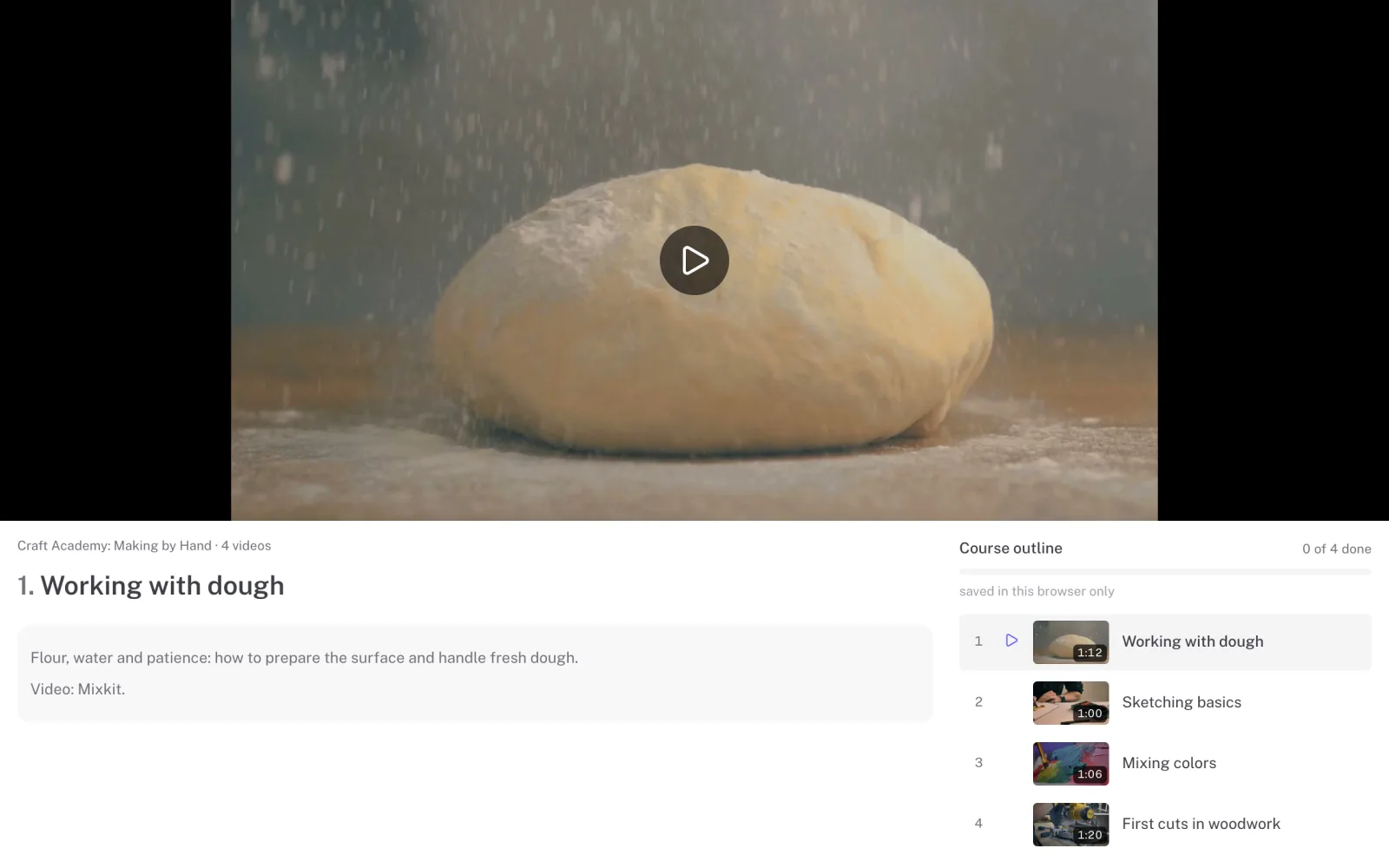
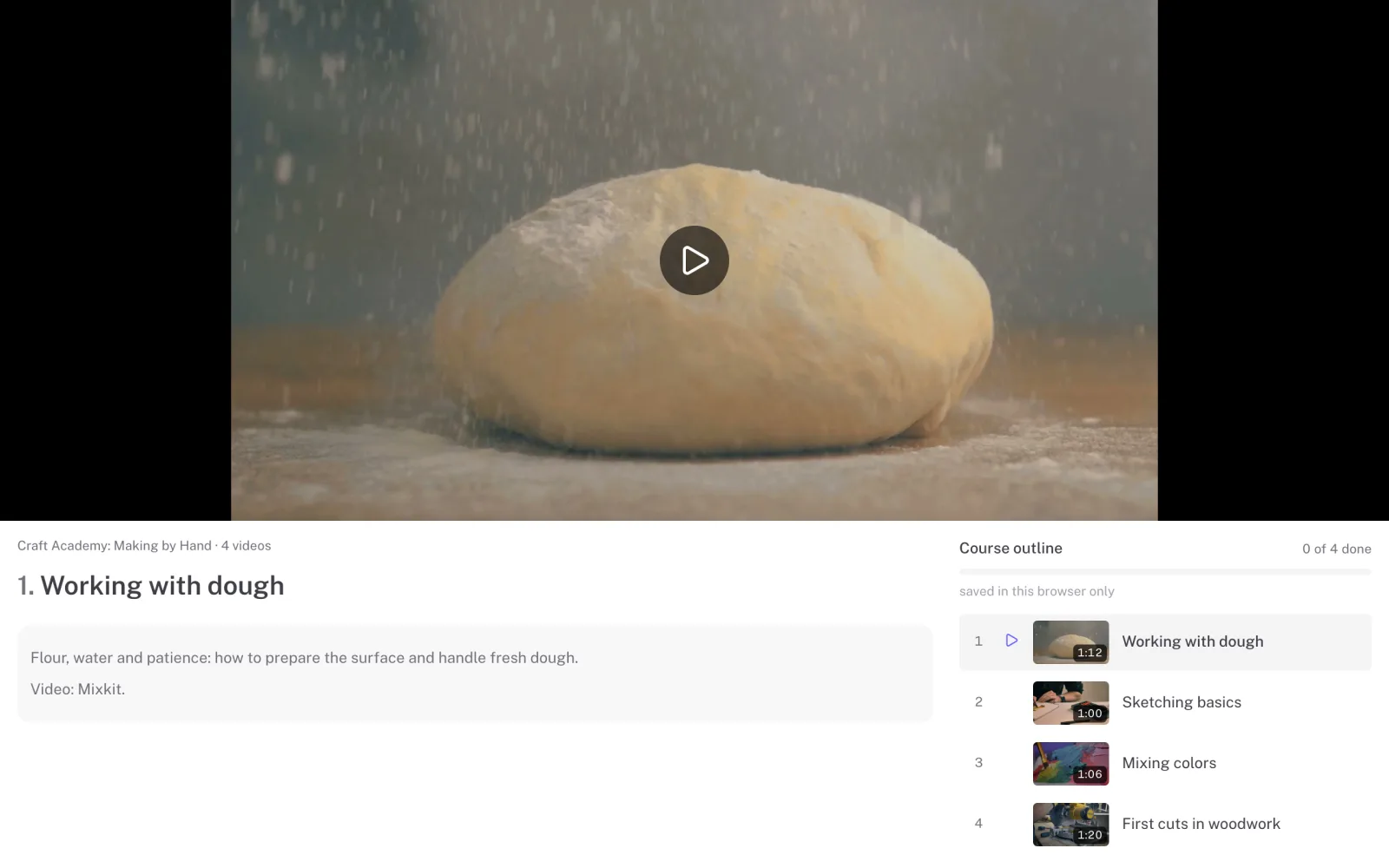
| Course | a table of lessons on the right, "done" checkmarks, and "N of M done" progress |
| Minimal — player only | only the player |
Switch the layout
- Content tab → Storefront appearance block.
- Turn off Inherit from account.
- Watch page layout → Course, Series, or another layout → Save changes.
The link stays the same, and viewers see the new layout right away.
Course progress
"Done" checkmarks are stored in the viewer's browser: on another device, progress starts over.
Tip
Add attachments to course lessons: notes or an assignment appear below the player.
More on all page layouts in Watch page layout.
Updated: