Docs sections
Search⌘KWatermark
A watermark is burned into the video itself — it can't be removed in the player or when the video is downloaded.
On this page
Setup
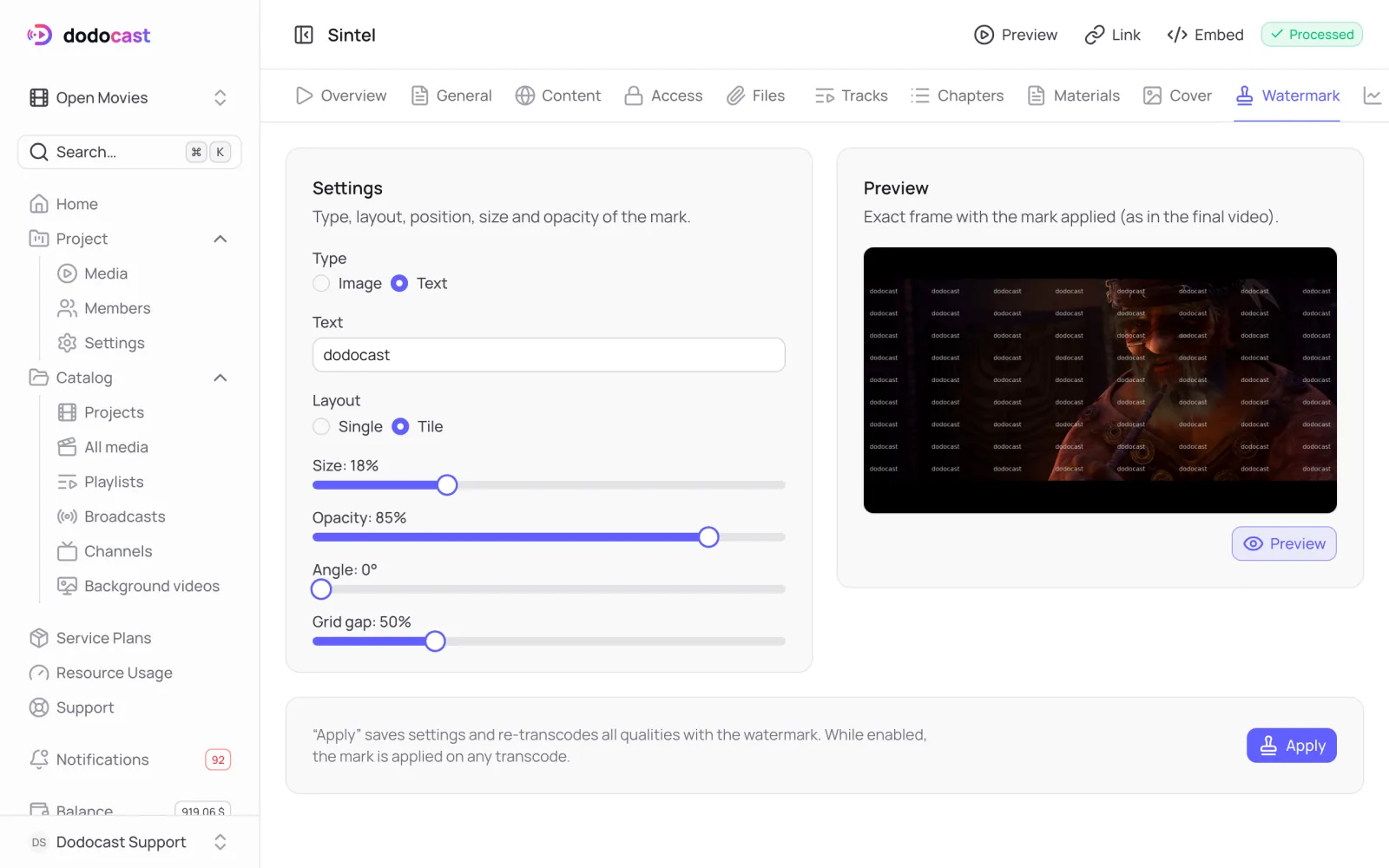
- Open the video → Watermark tab.
Choose a Type:
- Image: a logo, PNG with transparency only, up to 10 MB;
- Text: for example, the channel name or the viewer's name.
- Choose a Layout: Single (in a corner or the center; set Position and Margin, px) or Tile (the mark repeats across the whole frame; set Angle and Grid gap).
- Set Size, Opacity and Feather (soft edges).
- Preview shows an exact frame with the mark applied, as in the final video.
- Apply saves the settings and re-encodes every rendition with the watermark.
This is re-encoding
Apply re-encodes every rendition of the video. It takes time, like regular processing, and the encoding minutes are billed under your plan. While the watermark is on, it is applied on every re-encode.
Updated: