Docs sections
Search⌘KBuild a background video
A background video is a silent clip for your website background, built from a segment of your video. No player, served from a permanent link.
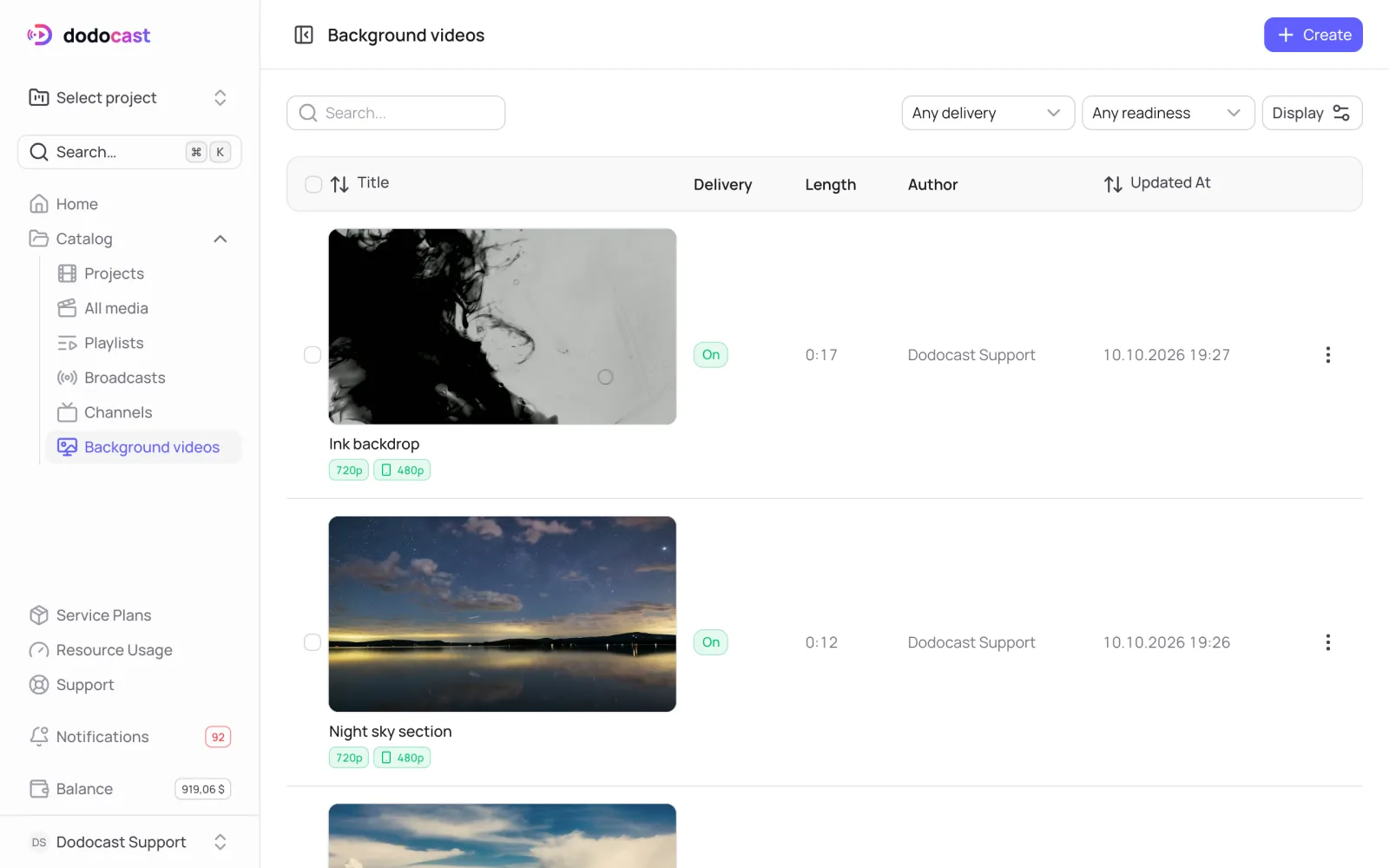
Steps
- Go to Catalog → Background videos → Create and enter a name (for example, "Homepage header").
- On the card, click Create from media.
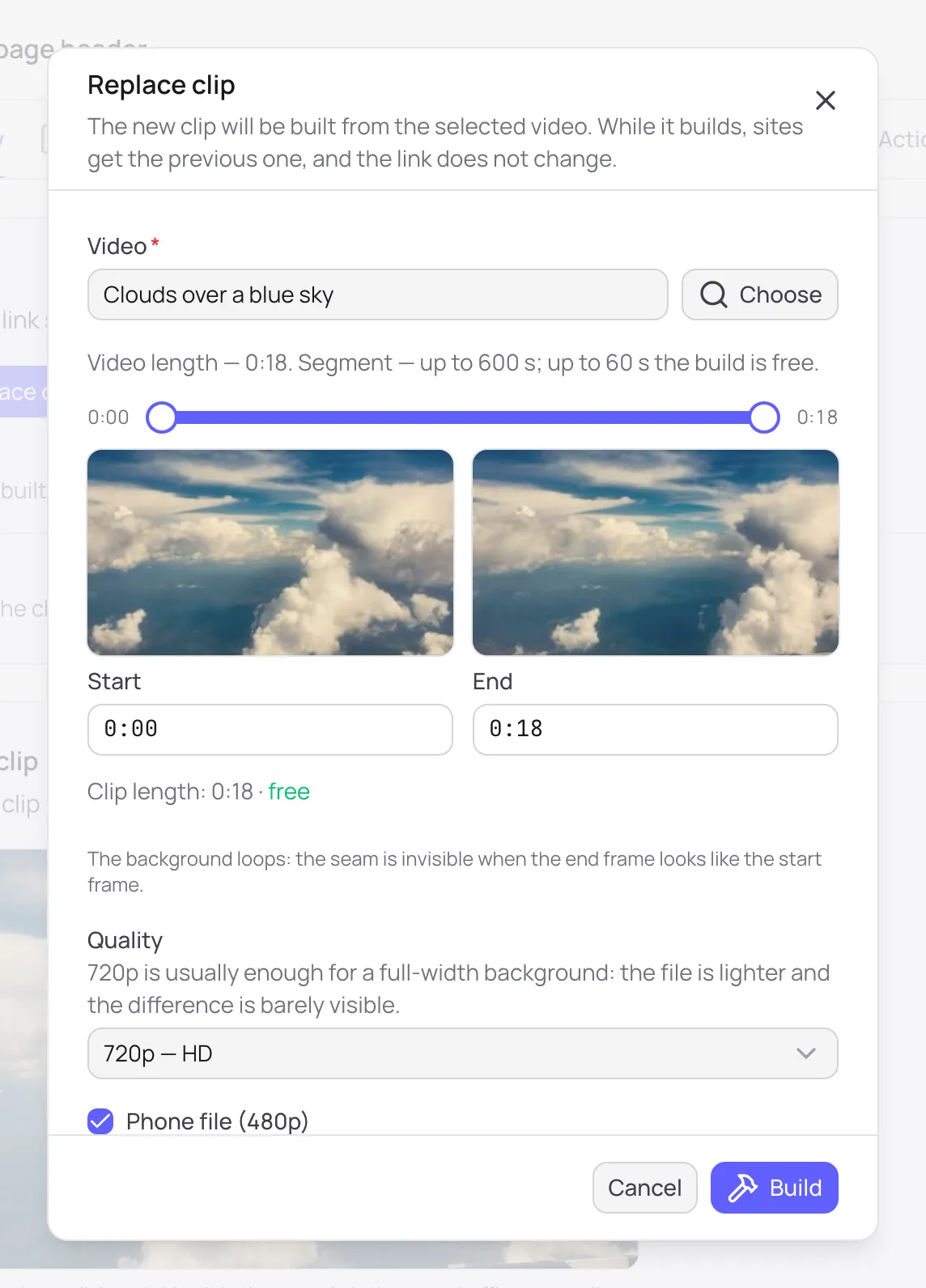
- Under Video, click Choose, then pick a project and a video.
- Mark the segment with the sliders or the Start and End fields — up to 600 seconds. Below the fields you see the clip length and whether the build is free.
- Quality: 720p is usually enough for a full-width background. The file is lighter and the difference is barely visible.
- Phone file (480p): phones download a light version instead of the main file.
- Click Build.
While the clip is being built, its status is Building (Rebuilding when you replace it). The link starts working as soon as the build finishes. If the build fails, the status is Not built.
Seamless loop
The background plays in a loop. The seam is invisible when the last frame looks like the first. Pick a segment where the motion at the start and at the end matches.
What you get
- the main MP4 file in the quality you chose;
- a phone file, 480p;
- a JPG poster, shown if the browser does not start the video on its own;
- permanent links and code for your site.
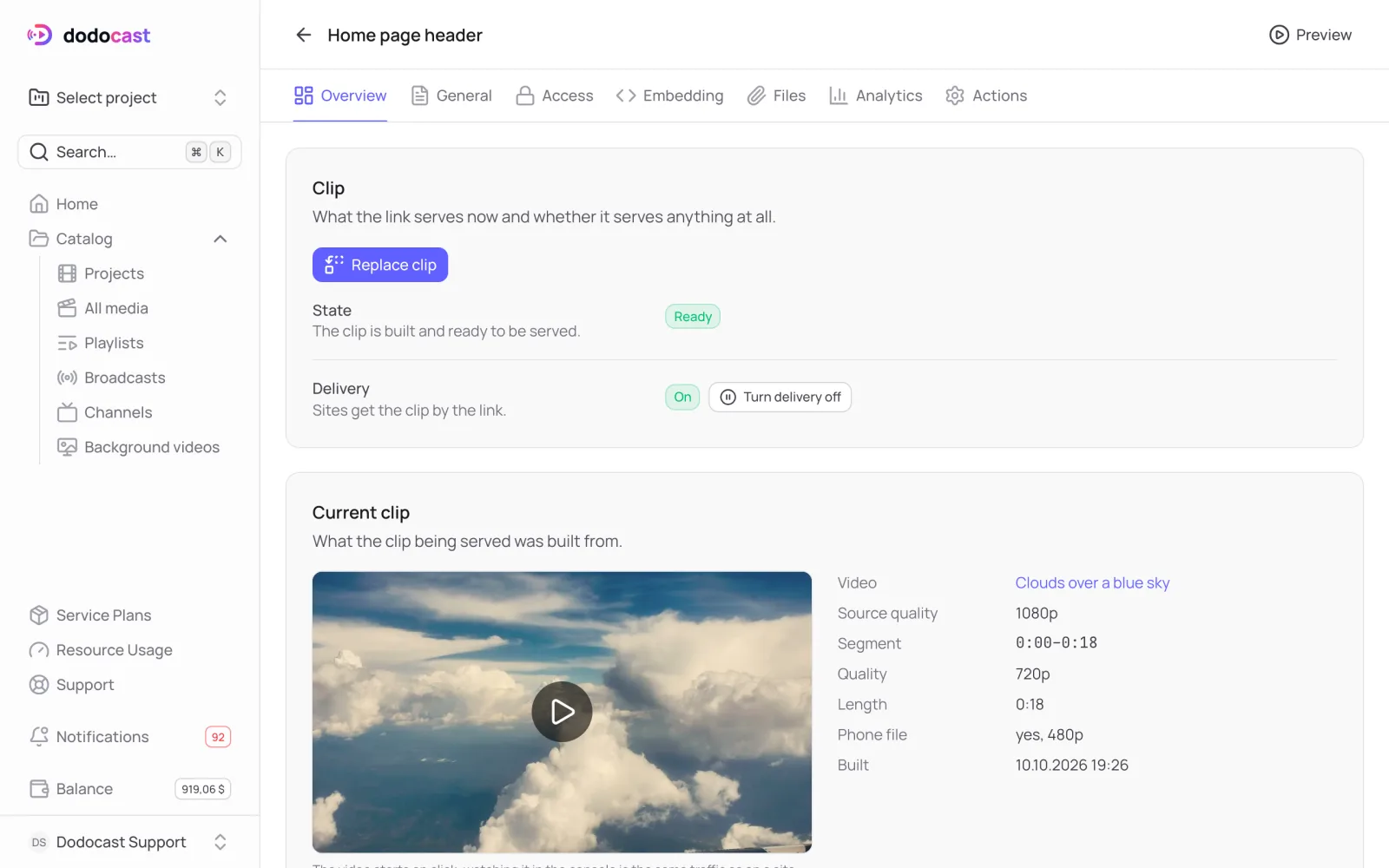
Replace the clip
Replace clip builds a new clip from another video or segment. While the build runs, sites keep getting the previous clip. The links stay the same, so you don't need to touch the code on your site.
Turn delivery on and off
Turn delivery off stops the clip on all sites without deleting it: the link returns "not found", and sites show the poster or an empty block. The clip and its files are kept, and you can turn delivery back on.
Updated: