Docs sections
Search⌘KVideo files
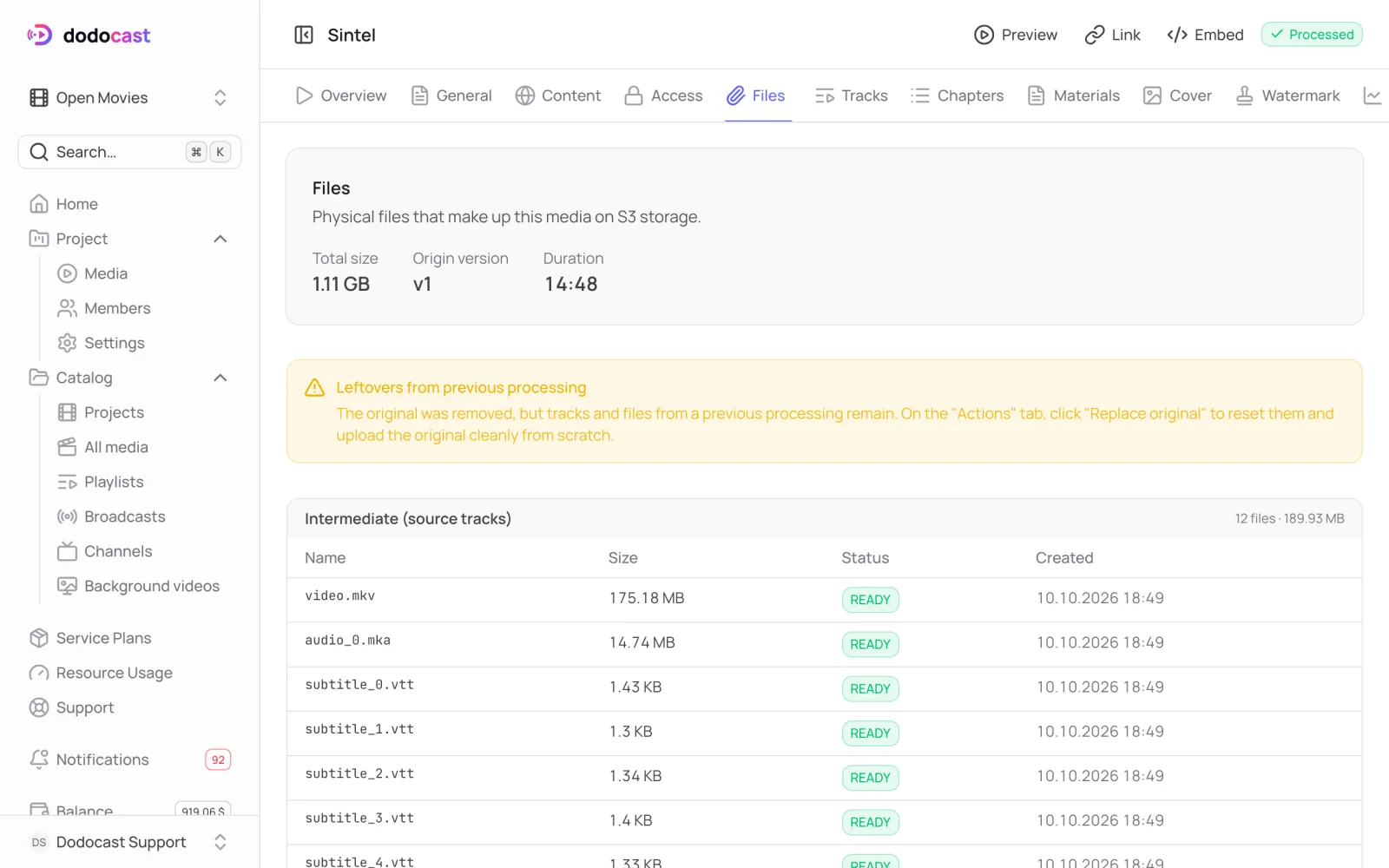
The Files tab shows everything stored for a video and how much space it takes.
On this page
What's there
- Total size: how much storage the video takes. This is what counts toward your plan's Storage limit.
- Origin version and Duration.
- Intermediate (source tracks): tracks extracted from the uploaded file (video, audio, subtitles). Qualities are encoded from them.
- Stream: the finished files for viewers: each quality, audio, subtitles, and service indexes.
If you see a warning
Leftovers from previous processing means the uploaded original is gone, but the source tracks and the stream are still there. The video works as usual. By default, the original is deleted after processing; this is the Delete the original after processing setting (Storage and auto-cleanup). To fully reprocess the video from scratch, you need the original: Upload a new original.
Free up space
On the Actions tab, Remove intermediates deletes the source tracks. The video keeps working, but to add new qualities or re-transcode, you'll have to upload the original again. More in Replace, move, delete.
Updated: