Docs sections
Search⌘KLoop a broadcast
Turn on Loop and a single video stays on air indefinitely.
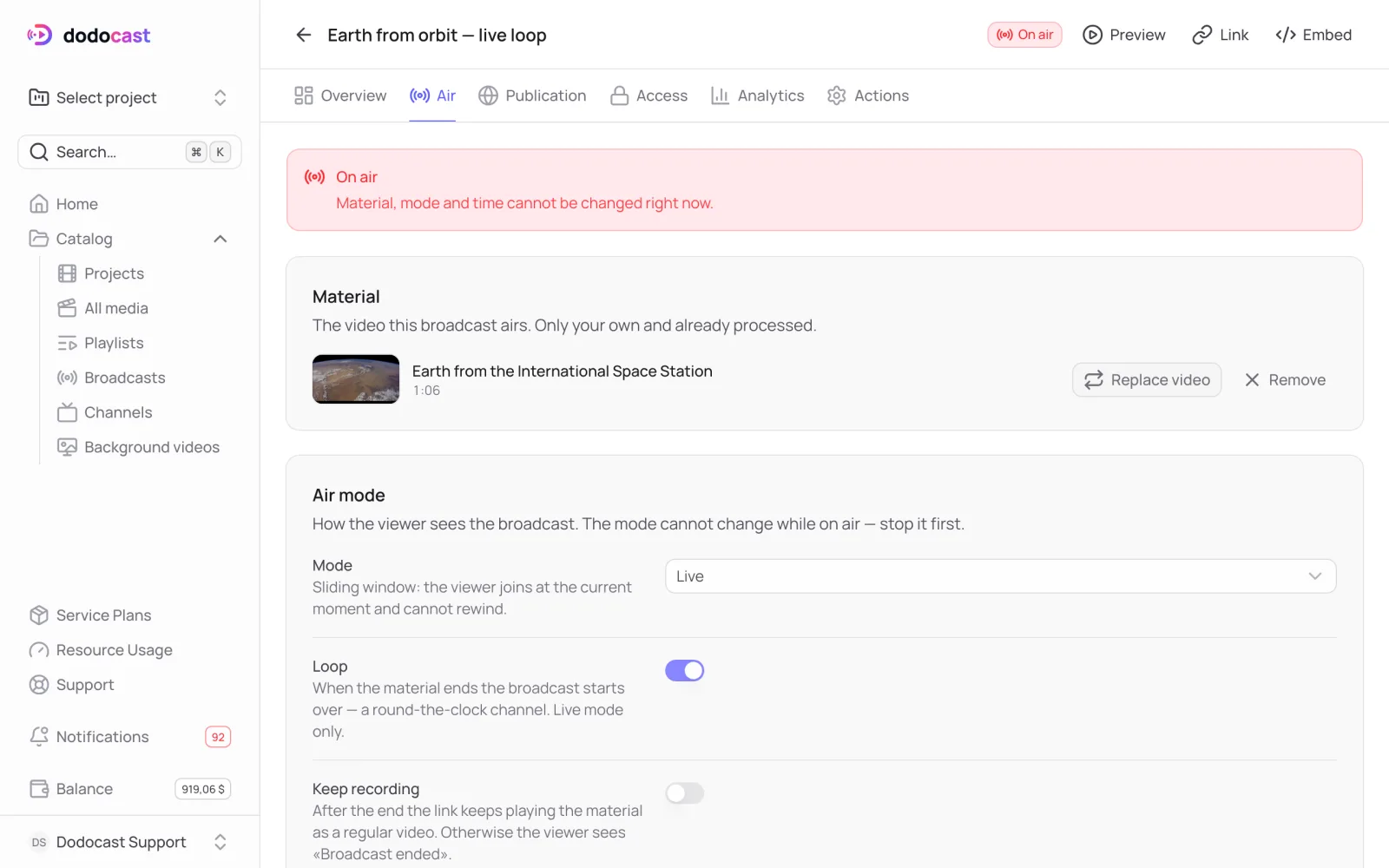
- On the Air tab, choose Live mode, turn on Loop → Save changes.
- Click Go live now on Overview. The summary shows Ends: never ends and Looping: Yes.
When the video ends, the stream starts again from the beginning. Use it for a lobby screen, a storefront display or a website background.
Note
Looping works only in Live mode. For a program of several videos plus scheduled shows, use a 24/7 channel.
Updated: